
Employee Management System
Employee Salary Increment Management System
in Bangladesh
An increment management system records salary revision decisions, routes them through the right approval chain, applies the new salary from the correct effective date, and updates payroll without a separate entry.
HRMS BD handles this for Bangladesh companies so increment decisions made in an appraisal cycle do not get lost in email threads, applied a month late, or forgotten until the employee brings it up.
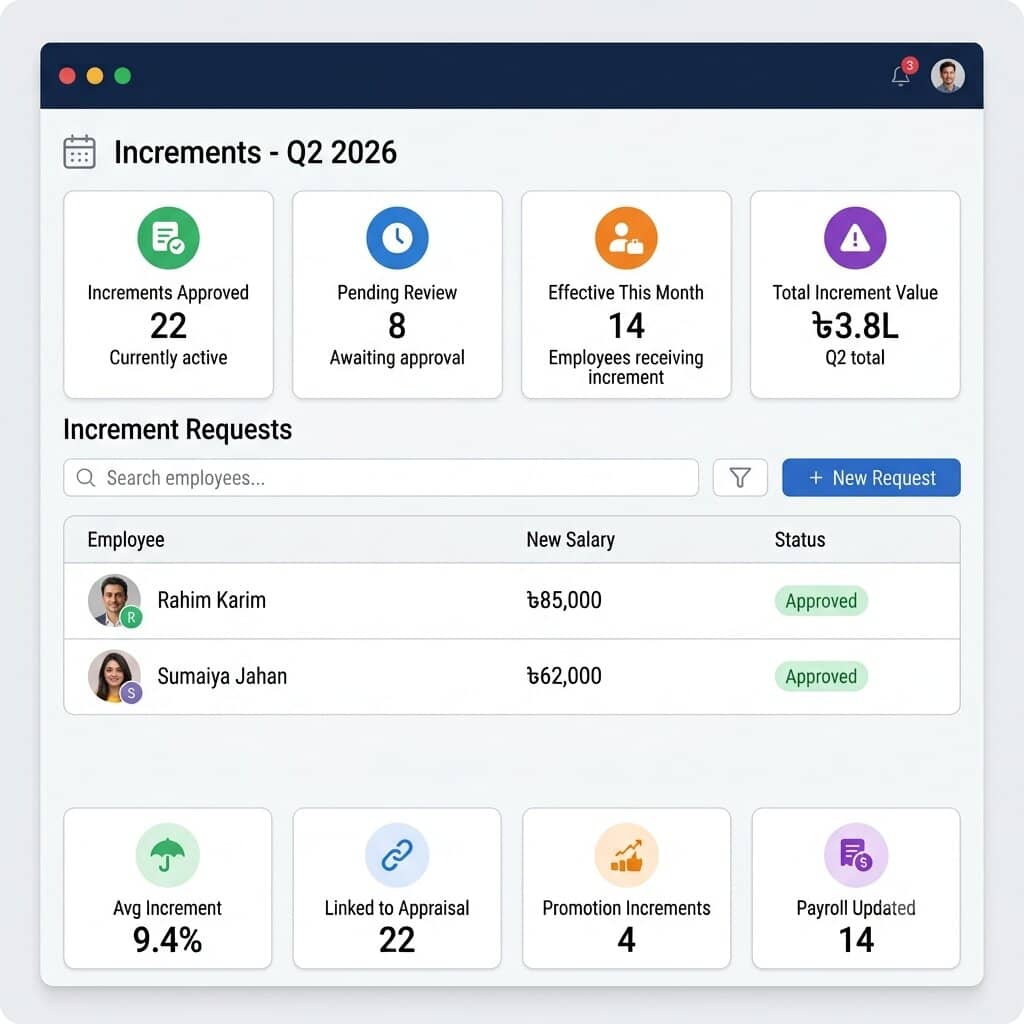
One Place for Every Salary Revision Decision
Most increment problems in Bangladesh companies are not calculation problems. They are handoff problems. Someone approved it. Someone else was supposed to update payroll. HRMS BD removes the handoff entirely.
Increment Initiation from Appraisal or HR
Increment recommendations can be raised directly from a closed performance appraisal cycle in HRMS BD, or created manually by HR for a standalone salary revision. Either way, the proposed new salary, effective date, and reason for the revision are captured at the point the increment is created, not reconstructed later from memory.
Multi-Level Approval Workflow
An increment proposal moves through the configured approval chain before it takes effect. A department head can recommend, the HR manager can review, and the MD or finance head can give final sign-off. Every step is time-stamped and logged. If an approver does not act within the configured period, the system sends a reminder without HR following up manually.
Effective Date Control
Automatic Payroll Update
When an increment is approved, the new salary figure moves to the payroll module automatically from the configured effective date. Finance does not receive an increment sheet from HR and type figures into a separate system. The number in the next payroll run is the same number the increment approval recorded.
Increment Letters
HRMS BD generates a formatted salary increment letter for each approved revision with the employee name, previous salary, new salary, effective date, and reason. HR downloads or sends it directly from the system. No separate Word document to draft for each employee.
Increment History and Salary Progression
Every increment applied to an employee, from first joining salary to the most recent revision, is stored in their profile in HRMS BD. HR can pull a full salary progression report for any employee in seconds. The history shows the date, amount, percentage change, and reason for each revision, which is exactly what a promotion committee or finance audit asks for.
Trusted by Leading Companies Across Bangladesh






Benefits of Using HRMS BD Increment Management
HR and Finance Teams
Increment decisions actually reach payroll on the right date
Approved increments go missing for one reason: the process depends on people remembering to do the next step. HR emails finance. Finance opens the payroll system. Someone updates the figure. If any of those steps slip, the employee gets paid the old salary for another month and nobody notices until the complaint comes in.
HRMS BD makes the next step automatic. An approved increment updates payroll from the configured effective date without HR sending anything to finance. The record of who approved it, when, and at what amount is already stored. The increment letter is already generated. The process ends at approval, not after a chain of follow-ups.
- Raise increment proposals directly from appraisal results so nothing is transcribed manually
- Send every increment through the correct approval chain with a time-stamped record of each step
- Apply new salaries from the exact effective date configured, with arrear handling if needed
- Generate increment letters for all approved revisions without opening a Word document
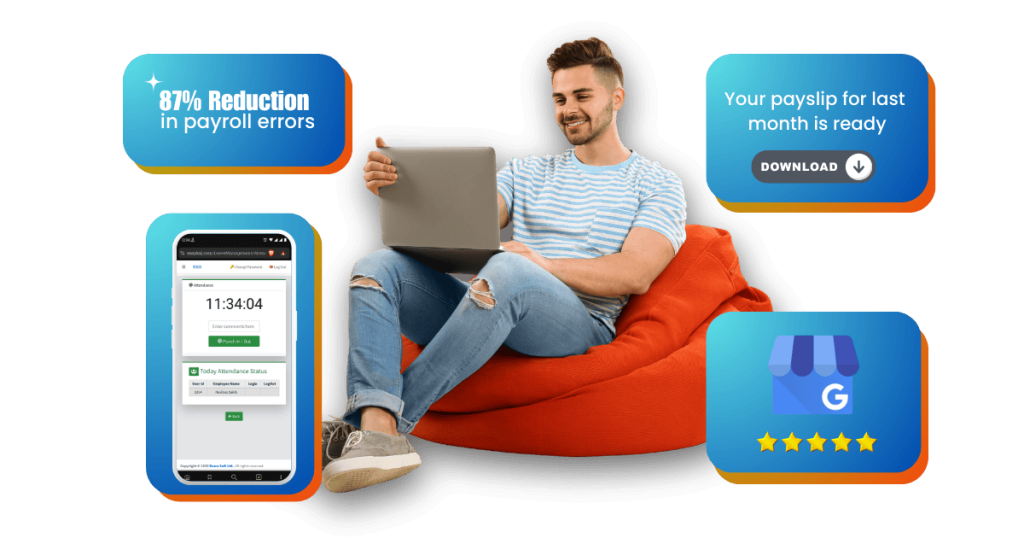
Employees
No more waiting to find out what was actually decided
Ask any employee in a Bangladesh company what happens after an appraisal. They get told the increment is approved. Then they wait for the payslip. Sometimes the number is right. Sometimes it is not. And there is no way to check in between because nothing is written down in a place they can access.
HRMS BD gives employees visibility into their own increment before the payslip arrives. Once HR releases the record, the approved salary, effective date, and formal letter are in the self service portal. The payslip confirms something the employee already knows, which is a much better experience than the other way around.
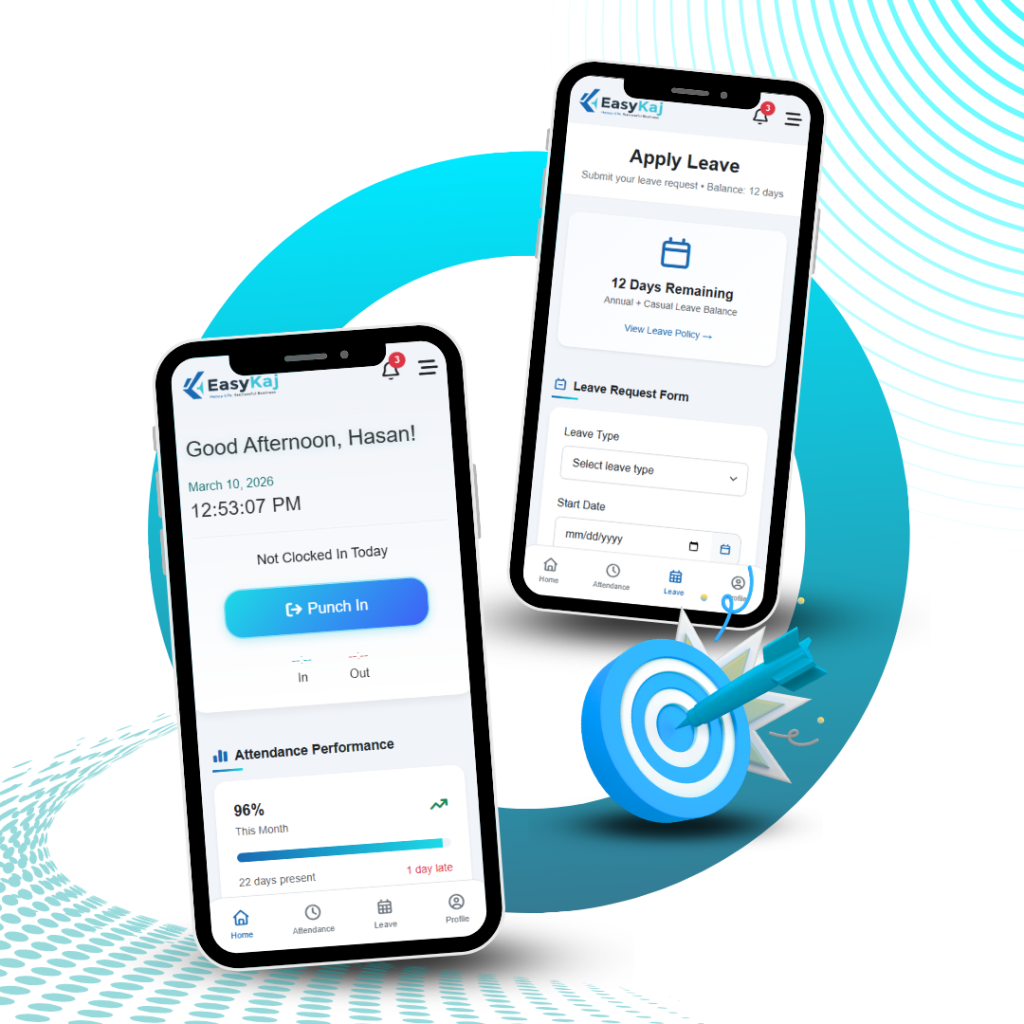
There is direct access to their own data in case of employees using the mobile app “EasyKaj”. This itself cuts down a surprising number of mundane queries relating to HR.
- See the confirmed new salary and effective date in the self service portal as soon as HR releases the record
- Download the official increment letter without waiting for HR to email a PDF
- Check salary history showing each increment applied, with dates and percentage change
- Receive a notification when an increment is approved and when it goes active in payroll
Review and Approve Increments from Any Device
HRMS BD increment management runs fully in a browser on phones, tablets, and desktops. There is no separate app to install. An MD approving proposals from a phone during travel sees the same increment queue as HR in the office. An employee checking their confirmed increment letter from a factory floor in Gazipur gets the same record as someone sitting at a desktop in Dhanmondi.
Nothing about the approval workflow is limited to desktop. Every step that can be done from the office, reviewing a proposal, checking the appraisal history behind it, approving or returning it with a comment, can be done from a phone.
The mobile experience has the same set of features as that of the desktop system. Going behind a wider screen, nothing goes unnoticed.
What Actually Changes When Increments Run Through HRMS BD
Most Bangladesh companies do not have an increment management problem. They have a record-keeping problem that shows up as an increment management problem.
No more late increments because payroll already closed
The most common increment complaint in Bangladesh HR is that an approved revision did not make it into payroll before the month closed. In HRMS BD, the effective date is set at the time of approval. Payroll picks it up automatically. HR does not need to remember to tell finance before a cut-off date.
Every increment has a paper trail that anyone can access
When an employee asks why their increment percentage was lower than a colleague’s, HR needs a documented basis. When a company audit asks for salary revision records, finance needs the history. HRMS BD keeps the appraisal score, approval record, and increment letter attached to each revision. When someone asks the question, HR opens the record rather than reconstructing the answer from old emails.
Salary history stays clean through role changes and promotions
Companies that manage increments manually often have salary histories that are incomplete or inconsistent once an employee has been promoted, transferred, or had their role revised. HRMS BD records every revision with the designation, department, and salary at the time, so the history reads accurately even after multiple role changes.
Your First Increment Cycle Running in Under 1 Day
Setting up increment management in HRMS BD does not require rebuilding your HR policy. It works around what you already do.
Contact the HRMS BD team
Tell us how your company currently handles increments, whether annually, linked to appraisals, or both. We confirm your setup and send access the same day.
Configure increment types and approval workflows
Our team sets up your approval chain for each increment type: who recommends, who reviews, and who gives final sign-off. Most companies take about 20 minutes for this step.
Link to performance appraisals if applicable
If you run appraisal cycles in HRMS BD, we configure the increment trigger so proposals generate automatically when a cycle closes, based on the score thresholds you set.
Import current salary records
Existing salary figures and any in-progress revisions are imported so the system starts with an accurate baseline, not a blank slate.
Run your first increment cycle
Proposals go through the configured approval chain. Letters generate on approval. Payroll picks up new figures from the effective date. After that initial configuration, HR’s job during an increment cycle is reviewing results, not managing process steps.
Watch Increment Management in Action
The demo video covers raising an increment proposal from a closed appraisal cycle, routing it through a two-level approval chain, generating the increment letter, and watching the new salary appear in the next payroll run from the correct effective date. Full walkthrough under five minutes.
What HR Managers in Bangladesh Say After 90 Days
These are not marketing quotes. These are the specific results our customers report in their first quarter on HRMS BD.
Trustindex verifies that the original source of the review is Google.Posted on Google
 shahriar khanUsing from Hashtag Broadband, and their service is excellent. Their support team is responsive and provides effective solutions whenever neededTrustindex verifies that the original source of the review is Google.Posted on Google
 GLG Assets LtdOutstanding HRMS System! We have been using this HRMS software at GLG Assets for the last 3 months, and it has completely transformed our HR operations. The automated payroll processing and attendance management are incredibly accurate and save us hours of manual work every month. It is easily one of the most reliable and user-friendly HRMS software in Bangladesh. The support team is also fantastic responsive and helpful. We highly recommend them for your company’s HR and payroll.Trustindex verifies that the original source of the review is Google.Posted on Google
 CTM HostBest HRM and Payroll software, we used this software from last year. It’s very user friendly and the hrm apps is very nice that no need biometric machine. Its cover a range that can allow to punch attendance using apps. Love it and Recommended. A+++Trustindex verifies that the original source of the review is Google.Posted on Google
 Fusion Goal Trading Contracting ServicesWe are very happy with the service from HRMS Bangladesh. Their EasyKaj software is simple and easy to use for managing our HR and payroll work. The support team is friendly and always ready to help when we need it. In our experience, this is one of the best HR and payroll software in Bangladesh. It saves our time and makes our work much easier. Highly recommended for any business.Trustindex verifies that the original source of the review is Google.Posted on Google
 Md KamrulWe have been using HRMS Bangladesh for our company’s operations, and it has made a world of difference. It is undoubtedly the best HR and payroll software in BD. The automation features allow us to manage everything—from attendance to payroll—effortlessly in one place. It has saved us so much time and reduced manual errors significantly. Highly recommended for any growing business!
Trusted by companies in Dhaka, Chattogram, Sylhet, Gazipur, Narayanganj, and across Bangladesh
FAQs on Increment Management System in Bangladesh
Everything you need to know before making your decision. If your question isn’t here, call us directly.
What is an increment management system in HR?
It is software that takes a salary revision from proposal to payroll without any manual handoff in between. The manager recommends a new salary. It goes through the approval chain. The increment letter generates. The new figure updates payroll from the effective date. HR does not send anything to finance separately, and nothing depends on someone remembering the next step.
What are the types of salary increments given in Bangladesh private sector companies?
Most companies use a mix of three:
- Annual increment: a fixed percentage applied to all eligible employees at the same time each year, usually July or at financial year end
- Performance-based increment: varies by appraisal score or KPI result, so higher performers receive a higher percentage
- Promotion-based increment: applies when an employee moves to a higher designation or grade, and takes effect from the promotion date
Some companies also run off-cycle revisions for retention situations or market corrections. HRMS BD handles all four with separate workflows.
How does increment management software connect to payroll in HRMS BD?
Directly, and without any action from finance. Once an increment is approved, the new salary applies to payroll from the configured effective date automatically. If that date has already passed and payroll for that month has closed, HRMS BD calculates the arrear and adds it to the next cycle. Finance sees the updated figures when they open the payroll run, not in a separate email or sheet.
Can HRMS BD generate salary increment letters automatically?
Yes. The letter generates the moment an increment is approved. It includes the employee name, old salary, new salary, effective date, and reason. HR can download it or send it directly from HRMS BD. The employee also sees it in their self service portal once HR releases it, so there is no need to draft, format, or email a separate document for each person.
How does HRMS BD handle increment arrears when the effective date is before the approval date?
HRMS BD calculates the difference between what the employee was paid and what they should have been paid from the backdated effective date, then adds that arrear to the next payroll run as a separate line item. The arrear shows on the payslip with its own label and calculation basis, so both HR and the employee can see exactly where the number came from. Nothing needs to be entered manually.
Attendance Works Best With These Features
Payroll Management
Leave Management
Shift Management
Create unlimited shift templates, assign by department or role, auto-rotate, and validate attendance against each employee’s actual shift.
OT Management
Field Attendance
OT Management
Real-time attendance from biometric devices, mobile GPS, or manual entry. Live dashboard. Auto-feeds payroll at month-end.
Free Demo
Ready to Cut Your HR Workload in Half?
Book a free demo and see exactly how HRMS BD handles payroll, attendance, and leave for a company your size. No sales pressure. No credit card. Our team walks you through the platform live.
Sat to Thur, 9 AM to 7 PM. Dhaka-based support team.